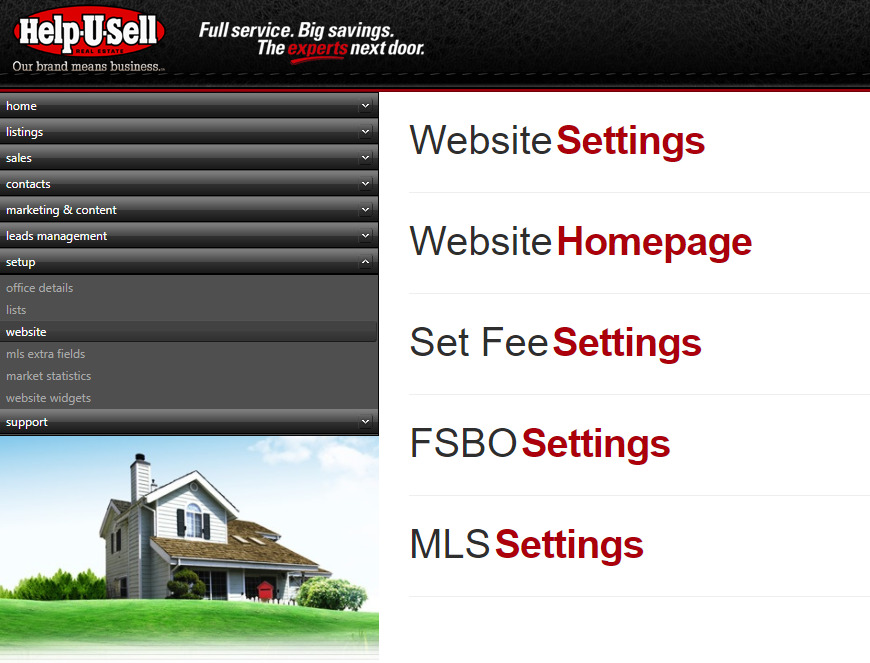
Website Settings
The Website Setup Module consist of Five Sections
- Website Settings and "Make an Offer Feature"
- Website Homepage (Only relevant on older non word press templates)
- Set Fee Settings
- FSBO Settings (Only relevant for FSBO sites)
- MLS Settings (Corporate Use Only)
Website Settings
This section is mostly used by corporate staff to make changes set settings on the older non wordpress templates.
NEW: Make an Offer Feature (How to Enable)
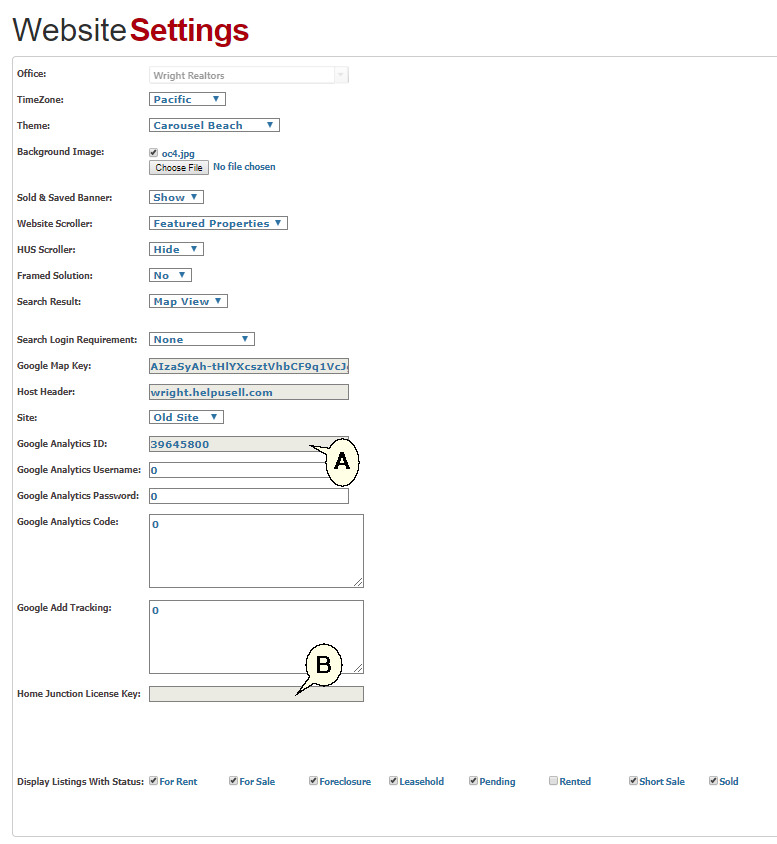
Note: For Offices on the wordpress template please add the Google Analytics ID (A) to this page to ensure the Website Analytics and KPI page loads properly.
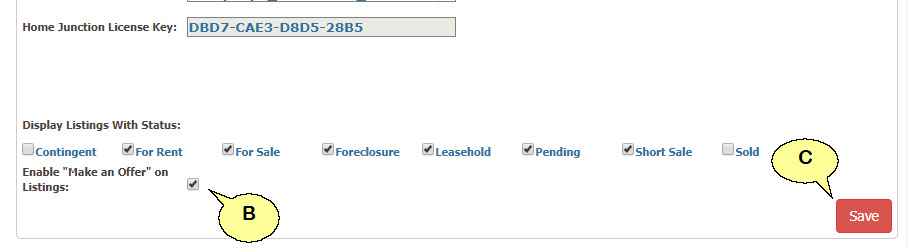
Add: Home Junction License Key at (B). Where do I get the HJ License Key?
Make an Offer Feature
This feature allows potential buyers to start the offer process from the listing details page.
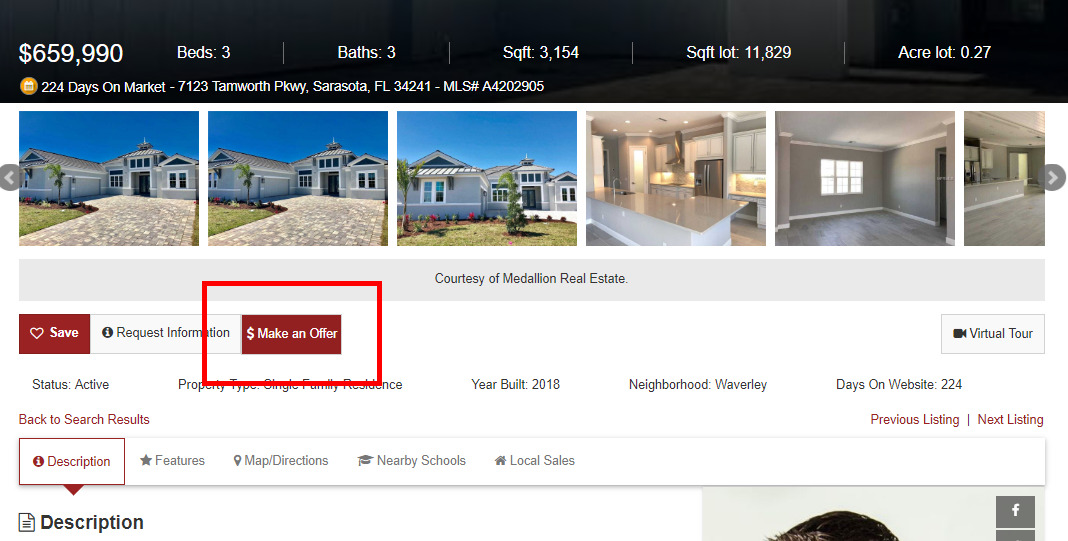
To enable the "Make an Offer" feature. Log onto the OMS and navigate to the 'Setup/Website Setup' page using the left navigation menu in the OMS.
-
Expand 'Website Settings' by clicking on the '+' icon to the right of the header (A).

-
Towards the very bottom of this section check the option to enable 'Make an Offer' (B), remember to 'Save' (C).
-
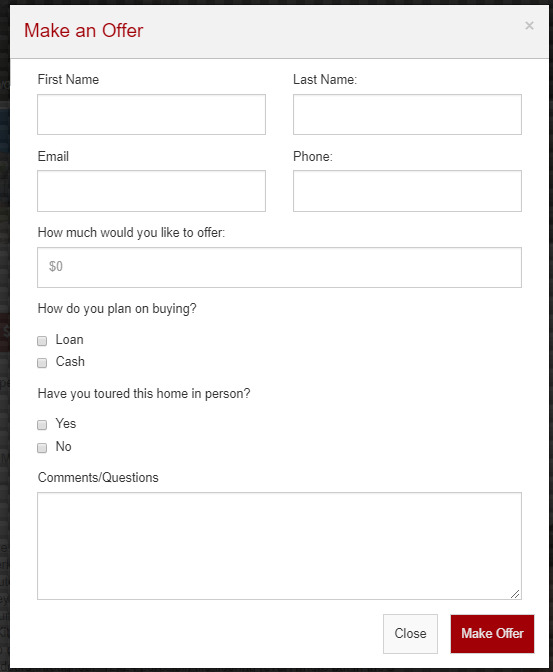
When a potential buyer clicks the 'Make an Offer' button, they will be prompted for basic information (D) to start the process. The buyer will be logged in the OMS as a lead and you will be notified by email as well.
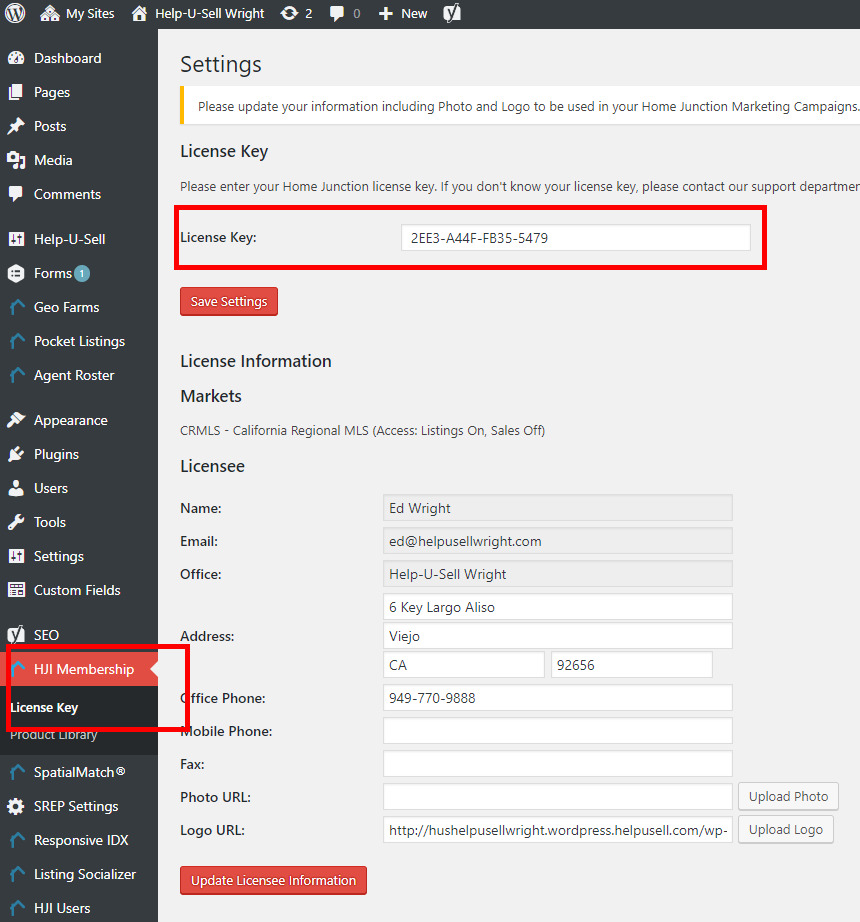
Home Junction License Key
To find the Home Junction License Key.
1) Log onto the wordpress platform
2) Log onto the relevant website i.e. Help-U-Sell Wright
3) Navigate to HJI Membership then License Key
4) The Key will be in the License Key field. Copy this key to the OMS Setup/Settings/Website Settings in the Home Junction License Key field.