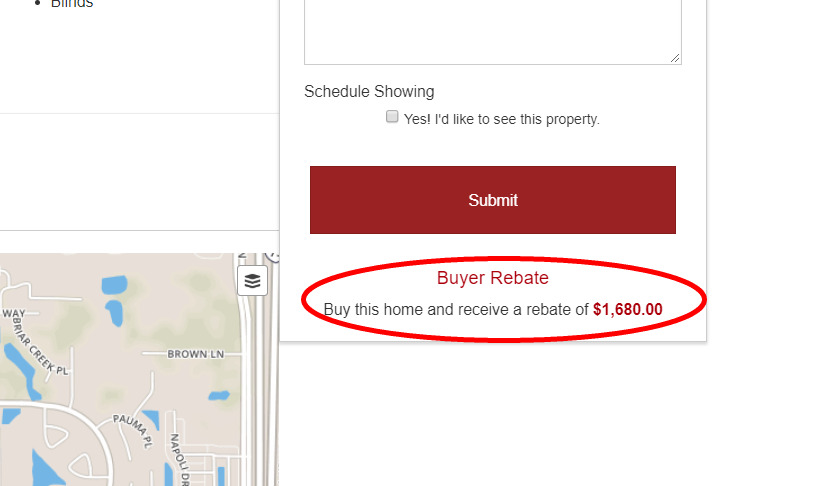
Buyer Rebate Widget
Help-U-Sell Real Estate developed a widget that can be activated on all the listings on your website, this includes all MLS listings as well.
To activate the widget follow the steps below.
-
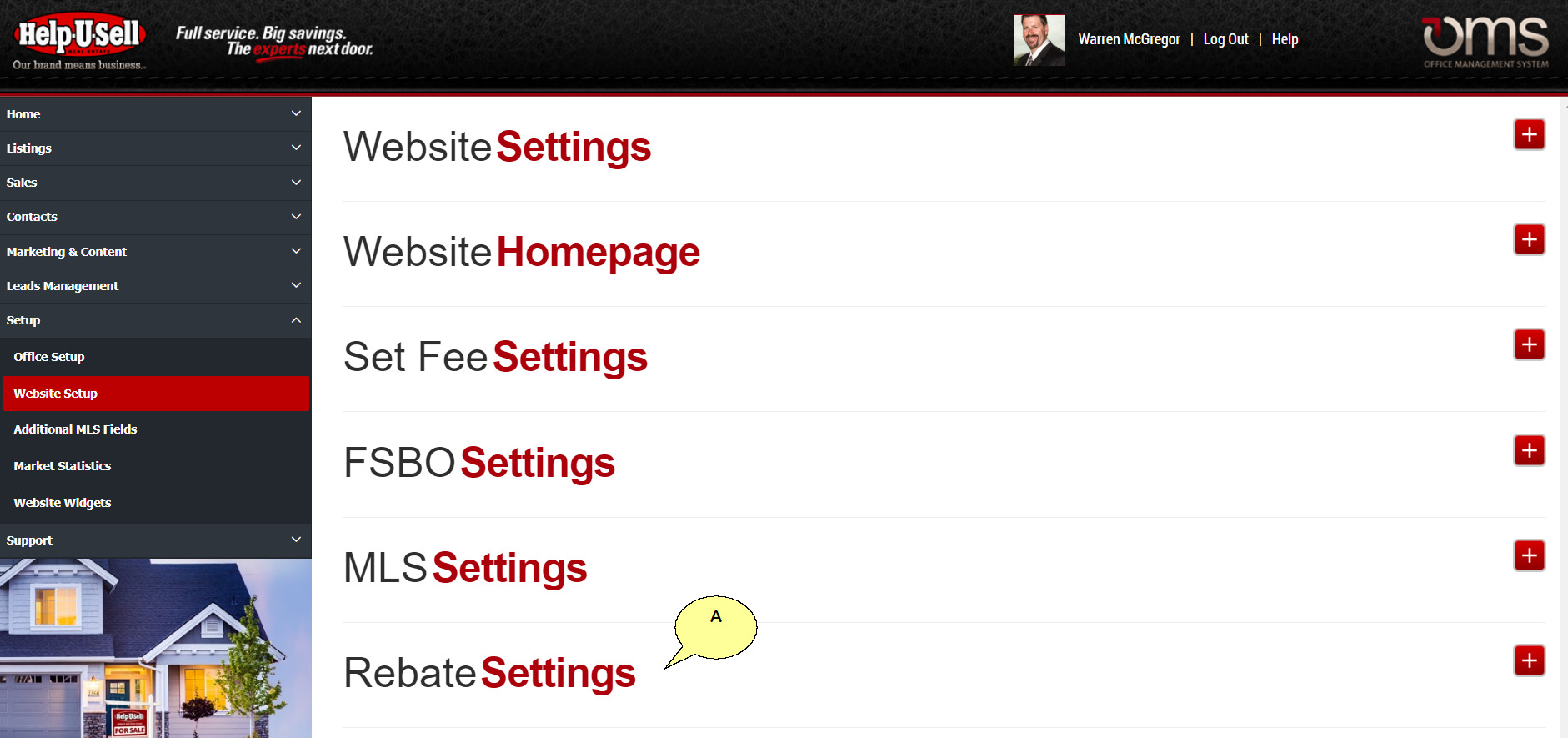
Log into the OMS and navigate to Setup/Website Setup in the left menu and click on '+' icon in the Rebate Settings module (A).
-
You have two options when it comes to configuring the Rebate Amount offered.
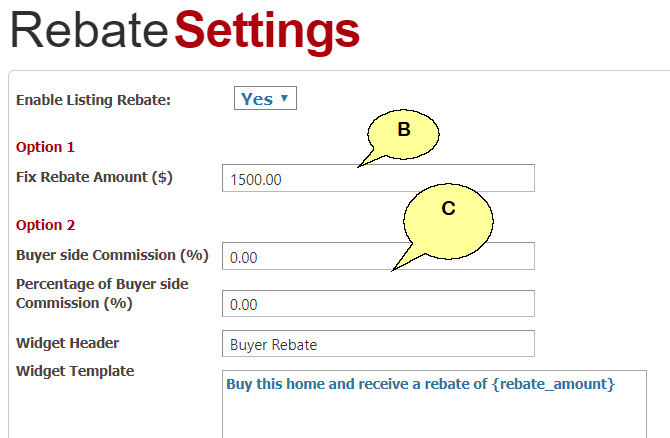
- A Fixed rate regardless of the sales price (B). or
- A percentage of the buyer side commission common in your market place (C).
-
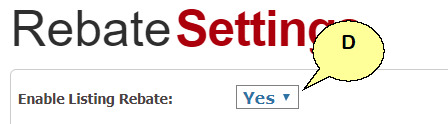
Enable Listing Rebate must be set to 'Yes' in order to display the Rebate information on the Listing Details page (D).
-
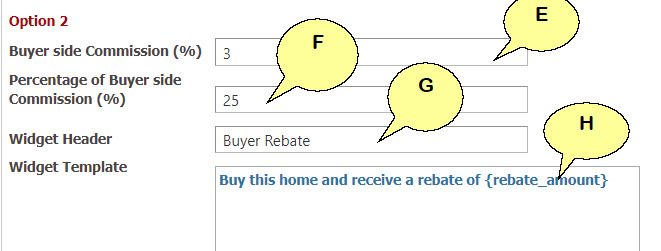
Setting up a percentage based on a buyer side sales commission complete the fields provided in Option 2.
- Enter a buyer side commission common in your market place i.e. "3%" (E).
- Enter the percentage of the buyer side commission you would like to offer as a rebate i.e. "20%" (F).
- The Widget Header is the title that shows up on the listings details page (G).
- You can also edit the verbiage under the header, please note not to delete the {rebate_amount} text (H) as this is where we will insert the rebate amount.
-
The Rebate Amount will display under the Contact Form on the right side of the listing page. The calculation in this example is Listing Price:
($224,000) x 3% = $6,7206,720 x 25% = $1,680